

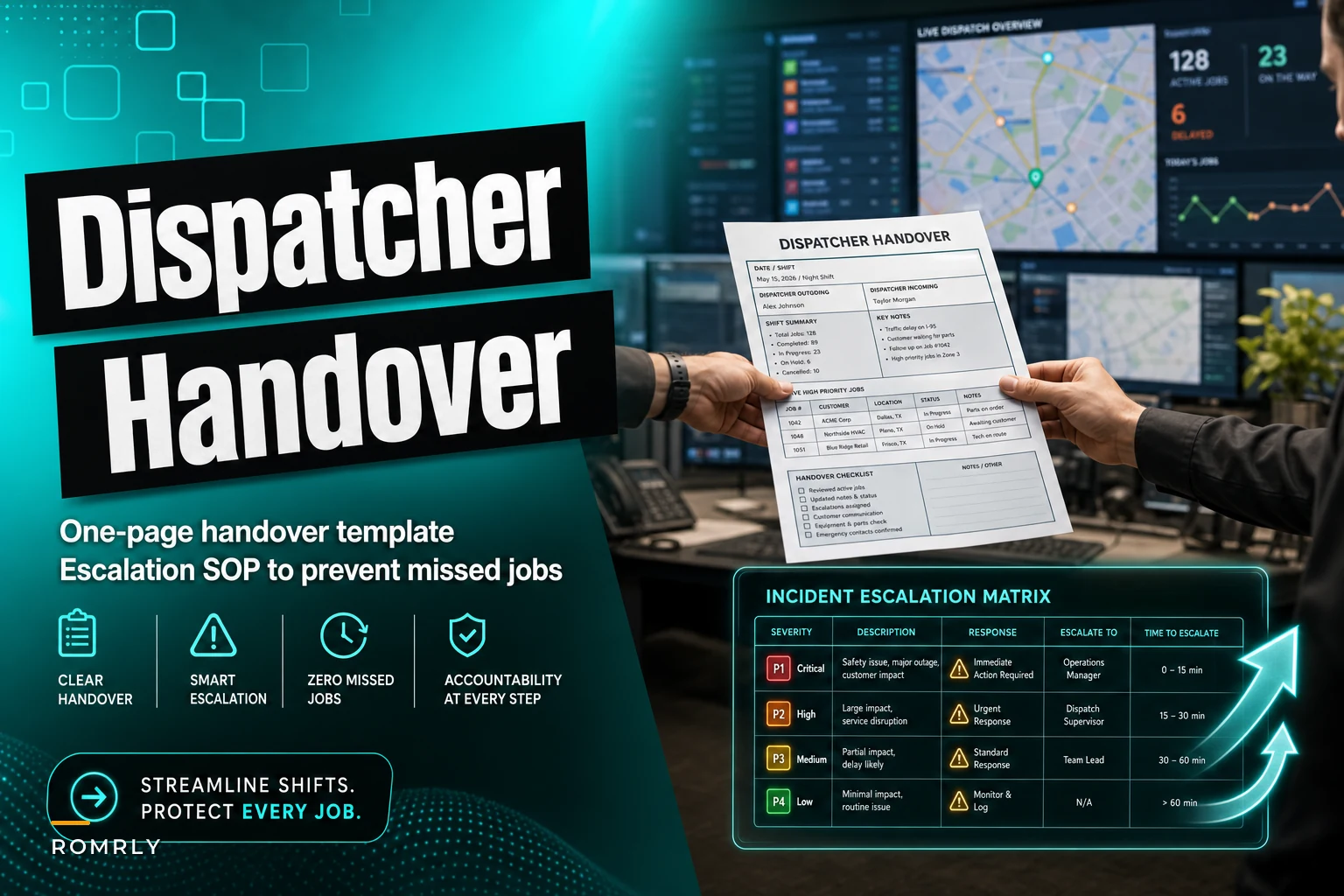

Monday morning, 6:47 AM. Your night dispatcher just wrapped a 12-hour shift, and the day dispatcher walks in to find three Post-it notes, an Excel sheet with yesterday's date, and a blinking voicemail light. Within the first hour, two techs show up at the same address while an emergency call from 5 AM sits completely untouched. This happens constantly—HVAC companies, plumbing operations, electrical contractors. The handover gap creates chaos that ripples through the entire day. After building operational software for field service businesses, the pattern becomes pretty obvious: dispatch handovers fail because they try to capture everything instead of focusing on what actually matters for continuity.
Why Traditional Handover Methods Create Operational Gaps
Most dispatch teams cobble together handover processes from whatever tools they already have—email threads, shared spreadsheets, group chats, physical logbooks. Each dispatcher builds their own shorthand. Night shift marks urgent jobs red in Excel. Day shift uses stars in the dispatch software. Swing shift relies on sticky notes.
The real problem shows up around shift boundaries. A dispatcher handling 15-20 active jobs can't mentally download their entire situational awareness in seven minutes. They remember the angry customer from 2 PM but forget to mention that the tech who called out sick affects tomorrow morning's route. They note the emergency job but skip explaining the customer has already called three times and specifically asked for Tech #4.
In smaller operations running 8-12 techs, a single miscommunication at handover can derail 30% of the day. One missed detail about a parts order sends a tech 45 minutes down the road just to turn around. One forgotten customer promise triggers a negative review that costs three future jobs.
The Hidden Cost of Poor Handover Procedures
Dispatch handover failures create compounding problems that most operations never fully track. Take a typical scenario from a mid-sized plumbing company running around 280 jobs per week. Their dispatchers worked overlapping shifts with verbal handovers supplemented by notes in their scheduling software. Every handover averaged 3-4 minor miscommunications—nothing catastrophic individually. Things like "customer prefers morning appointments" or "tech needs to grab a part from the warehouse first."
Eliminate field service chaos with Romrly.
Romrly helps you assign, track, and complete service jobs efficiently and on time.
- Unified job scheduling
- Technician dispatch & tracking
- Customer notifications & updates
No credit card required
-
12-15 unnecessary callbacks per week from confused customers
-
6-8 wasted truck rolls monthly from duplicate dispatches
-
Average 23 minutes of extra drive time per tech per day from poor routing continuity
-
Roughly $2,800 monthly in lost productivity tied directly to handover breakdowns
The worst part was that management couldn't see these losses clearly. They showed up as general inefficiency—techs seemed less productive, customer satisfaction slowly dipped, dispatchers blamed each other. Nobody connected it back to the handover process.
Building a One-Page Handover Template That Actually Works
Effective handover documents capture critical information without burying the incoming dispatcher. The most successful format fits on a single page—physical or digital—with clear visual hierarchy and standardized fields.
Core sections for the one-page template:
Active Incidents Block (Top Third)
-
Job number, customer name, address
-
Current status (en route / on site / waiting for parts)
-
Tech assigned
-
Critical notes in 10 words or less
-
Flag color (Red = emergency, Yellow = escalated, Green = routine)
Pending Actions Block (Middle Third)
-
Callbacks required with time windows
-
Parts orders waiting for confirmation
-
Schedule changes pending customer approval
-
Tech requests needing response
-
Customer complaints requiring follow-up
Operational Alerts Block (Bottom Third)
-
Tech availability changes (sick calls, early departures)
-
Equipment issues (truck problems, tool failures)
-
System problems (software glitches, communication issues)
-
Weather or traffic impacts
-
Special customer situations
The constraint is what makes it work. Each line item gets one row, 15 words of notes maximum. No narratives, no explanations—just the facts the next dispatcher needs to pick up and run.
Enforce the 15-word note limit by having the incoming dispatcher edit overlong items before taking calls.
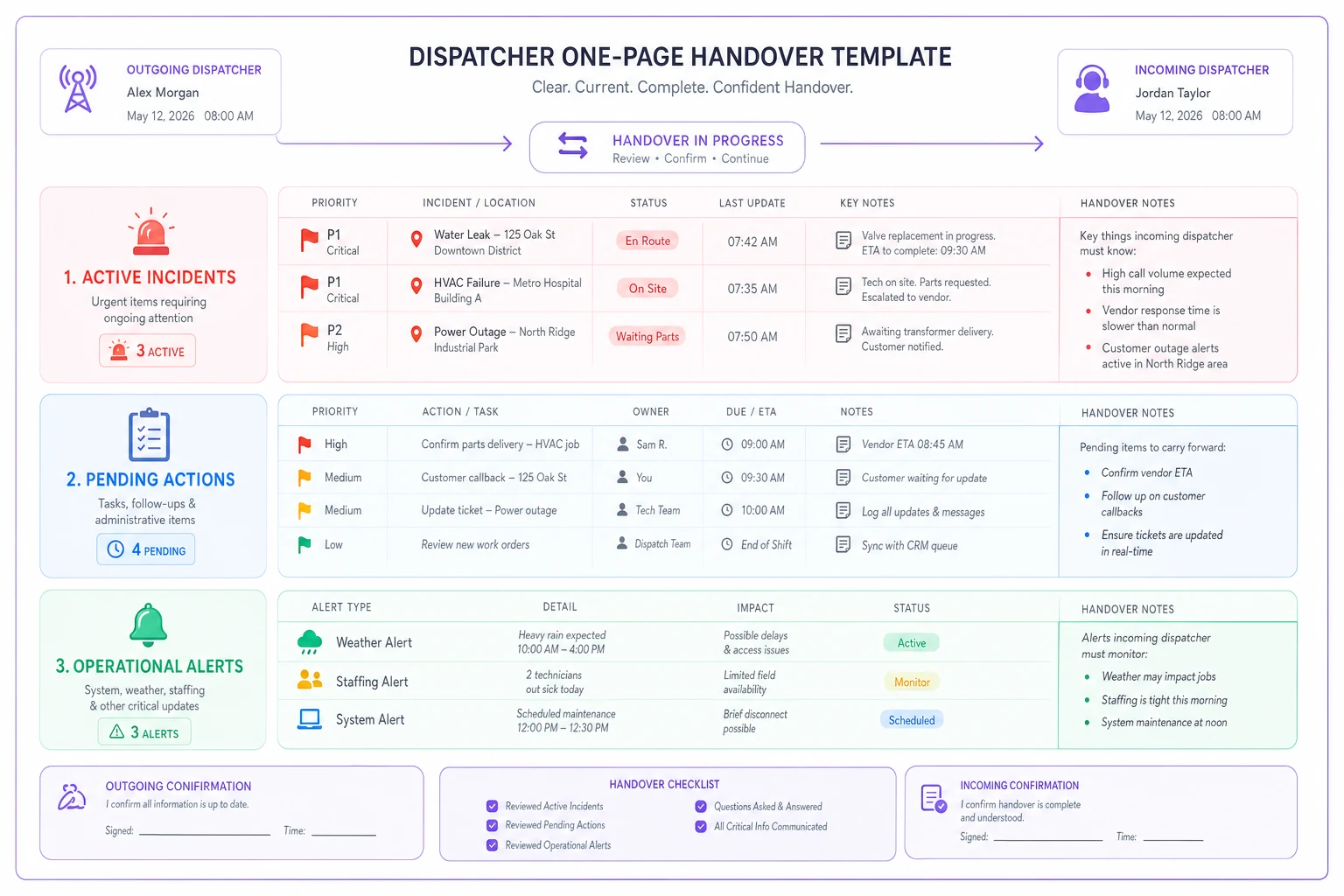
A quick visual of the one-page layout and how items flow between shifts.
Priority Flags and Visual Indicators
Dispatchers process information visually during high-pressure moments. Color-coding and symbols communicate faster than text when you're juggling multiple phone lines and radio calls simultaneously.
The three-flag system:
🔴 Red Flag - Immediate Action Required
-
Emergency calls awaiting dispatch
-
Escalated customers requiring callback within 30 minutes
-
Tech safety issues
-
System failures affecting operations
🟡 Yellow Flag - Monitor Closely
-
VIP customers on schedule
-
Jobs approaching SLA deadlines
-
Parts orders affecting next-day schedules
-
Developing weather situations
🟢 Green Flag - Standard Priority
-
Routine jobs proceeding normally
-
Non-urgent customer requests
-
Standard operational notes
-
FYI items for awareness
Physical handover sheets work well with highlighters—incoming dispatchers mark items as they process them. Digital formats use color coding or emoji indicators that stay visible in list views.
One important distinction: flags indicate handover priority, not job priority. A routine maintenance job gets a red flag if the customer threatened to cancel their contract. An emergency repair might get yellow if the tech is already on site handling it.
Escalation Matrix for Common Dispatch Scenarios
Beyond basic handover information, dispatchers need clear escalation paths for situations that develop during shift transitions. Without them, you get decision paralysis exactly when it's least affordable.
| Scenario | First Response | Escalation Trigger | Escalation Action |
|---|---|---|---|
| Double dispatch discovered | Call both techs, reroute closest to next job | Customer upset or >30 min travel invested | Comp service call or discount |
| Missed emergency callback | Immediate dispatch + courtesy call | >2 hours since original call | Manager calls with formal apology |
| Tech no-show at job site | Verify tech location, ETA to customer | Customer threatens cancellation | Expedite nearest tech + discount |
| Parts order missing info | Check previous shift notes | Delays job beyond promise time | Offer reschedule with priority |
| System showing conflicts | Manual override and document | Affects >3 scheduled jobs | IT support + backup paper dispatch |
| Customer complaint during handover | Listen, document, promise callback | Threatens legal/social media | Immediate manager intervention |
Each escalation path needs clear ownership. The outgoing dispatcher owns resolution for issues from their shift until they physically leave. The incoming dispatcher owns all new issues plus any unresolved items formally handed over. That clarity kills the "not my problem" dynamic that develops during transitions.
Digital Tools vs Paper Systems
Both work when properly structured, but each fits different operational realities.
Paper systems excel when:
-
Multiple dispatchers need simultaneous visibility
-
Power or internet issues are common
-
Dispatchers prefer physical note-taking
-
Regulatory requirements demand written records
-
Budget constraints limit software options
A laminated template with dry-erase markers allows quick updates while maintaining structure. Completed sheets get photographed and filed digitally. The physical presence on the desk keeps it visible—harder to ignore than a minimized browser tab.
Digital systems outperform when:
-
Dispatchers work remotely or across locations
-
Integration with dispatch software exists
-
Search and reporting capabilities matter
-
Multiple shifts need historical reference
-
Real-time updates during overlap periods
Modern dispatch operations increasingly rely on integrated handover modules within their scheduling platforms. The handover becomes a living document throughout the shift rather than an end-of-shift scramble. AI-powered operational software can pre-populate common handover items by analyzing dispatch patterns and flagging anomalies automatically, which removes a surprising amount of manual documentation work.
The hybrid approach tends to work best in practice: digital for data capture and sharing, physical for active shift reference. The incoming dispatcher prints the digital handover, annotates throughout their shift, then updates the digital version before leaving.
Common Handover Mistakes That Create Downstream Problems
The "Everything's Fine" Handover The outgoing dispatcher wants to leave clean, so they downplay brewing problems. That "slightly annoyed" customer explodes two hours later when the tech shows up late. Honest handovers that flag concerns—even uncomfortable ones—prevent surprise escalations.
The Novel-Length Handover Some dispatchers write paragraphs explaining every customer interaction. The incoming dispatcher, already fielding calls, skims past critical details buried in narrative. Bullet points communicate more than stories.
The Assumption Trap "Sarah knows about the Johnson account situation." "Mike always handles the warehouse run." Assuming institutional knowledge creates gaps when covering dispatchers or new hires take shifts. Every handover should stand on its own.
The Update Lag Handover prepared at 6 AM for a 7 AM shift change, but critical things happen in that final hour. Three techs call out sick. An emergency comes in at 6:45. The paper shows everything green while reality has already turned red. Live handovers need real-time updates or at minimum a verbal supplement right before the outgoing dispatcher leaves.
Implementation Timeline for Better Handovers
Week 1-2: Observation and Documentation Track current handover practices without changing them. Document what information gets shared, what gets missed, what problems emerge. This baseline is what you'll point to later when measuring improvement.
Week 3-4: Template Introduction Introduce the one-page template as a supplement to current practices. Don't replace existing methods yet—let dispatchers get comfortable with the format while keeping their familiar processes intact.
Week 5-6: Parallel Running Run both old and new handover methods simultaneously. Compare effectiveness, gather dispatcher feedback, refine the template based on actual use. This parallel period catches gaps in the new process before they become operational problems.
Week 7-8: Full Migration Switch to the new handover process as the primary method. Keep old methods as backup only. Monitor closely and adjust escalation procedures based on real scenarios that come up.
Week 9-12: Optimization Fine-tune based on accumulated experience. Add automation where it makes sense. Integrate with other operational systems. Measure against baseline metrics.
Most operations see measurable improvement within the first month—fewer customer complaints, reduced duplicate dispatches, better tech utilization. The real gains show up around month three when the process becomes second nature and dispatchers stop treating handovers as a separate task on top of everything else.
Measuring Handover Effectiveness
Without measurement, this becomes another initiative that quietly gets abandoned. Track metrics that directly connect to handover quality.
Primary Metrics:
-
Duplicate dispatch incidents per week
-
Missed emergency response times
-
Customer callbacks about confusion
-
Tech reports of missing information
-
Time spent clarifying previous shift issues
Secondary Metrics:
-
First-call resolution rates by shift
-
Customer satisfaction scores by time of day
-
Tech utilization during shift transition periods
-
Dispatcher overtime from handover delays
In operations running 200+ jobs weekly, saving even 10 minutes per handover adds up to roughly 35 hours of productive dispatch time monthly. That's not a trivial number.
Technology Integration Without Complexity
The temptation is to over-engineer this with complex software. The most successful implementations stay simple and focused.
Basic integrations that actually add value:
-
Auto-population of active jobs from dispatch software
-
Automated flag triggers based on SLA timers
-
Mobile accessibility for remote handover reviews
-
Audit trails for compliance requirements
-
Simple reporting on handover metrics
Skip the features that complicate without contributing: complex approval workflows, extensive customization layers, multi-step sign-off processes. The best dispatcher handover checklist is simple enough that a covering dispatcher can understand it in minutes.
AI-enhanced operational platforms handle more of the routine handover elements automatically now—tracking which jobs need follow-up, which customers called multiple times, which techs are running behind. That automation shifts dispatcher attention toward exceptions and situations that actually require judgment, rather than spending mental energy documenting status updates that a system could track on its own.
The difference between smooth operations and daily chaos often traces back to those seven minutes of shift overlap. A structured dispatcher handover checklist turns that vulnerable transition into something reliable. The one-page format with clear priority flags ensures critical information transfers without burying the incoming dispatcher in noise.
The escalation matrix provides clear decision paths when problems surface during transitions. Digital or paper, the system has to fit your operational reality while staying consistent across all shifts. Most importantly, it has to be simple enough to use during the morning rush and comprehensive enough to prevent the expensive gaps that frustrate customers and waste technician time.
Implementation takes patience—roughly 12 weeks from introduction to real optimization—but the payoff shows up quickly in reduced callbacks, fewer duplicate dispatches, and noticeably calmer morning operations. For dispatch teams handling hundreds of jobs weekly, a solid handover process isn't just helpful documentation. It's what ensures every customer promise made on one shift actually gets kept on the next.
Ready to optimize your field operations?
Join 2,000+ service teams using Romrly to boost productivity, reduce downtime, and enhance customer satisfaction.