

Most field service companies are sitting on a goldmine they never touch. Every closed job carries a small story: the symptom, the diagnostic path, the part that fixed it, the mistake the tech almost made. Multiply that by a few thousand jobs a year and you've got a knowledge base that could cut diagnostic time in half. Instead, it lives in resolution notes nobody reads, in the heads of your three best techs, and in a shared drive full of PDFs last updated in 2019.
The gap isn't a lack of information. It's a lack of lifecycle. Knowledge gets created constantly but never captured deliberately, never shaped into something usable, never checked for accuracy, and never pushed to a phone at the moment a tech is standing in front of a broken unit. That's the real problem with field service knowledge management — not writing documents, but building a repeatable pipeline that converts messy job history into short, verified micro-guides and keeps them current as equipment and procedures change.
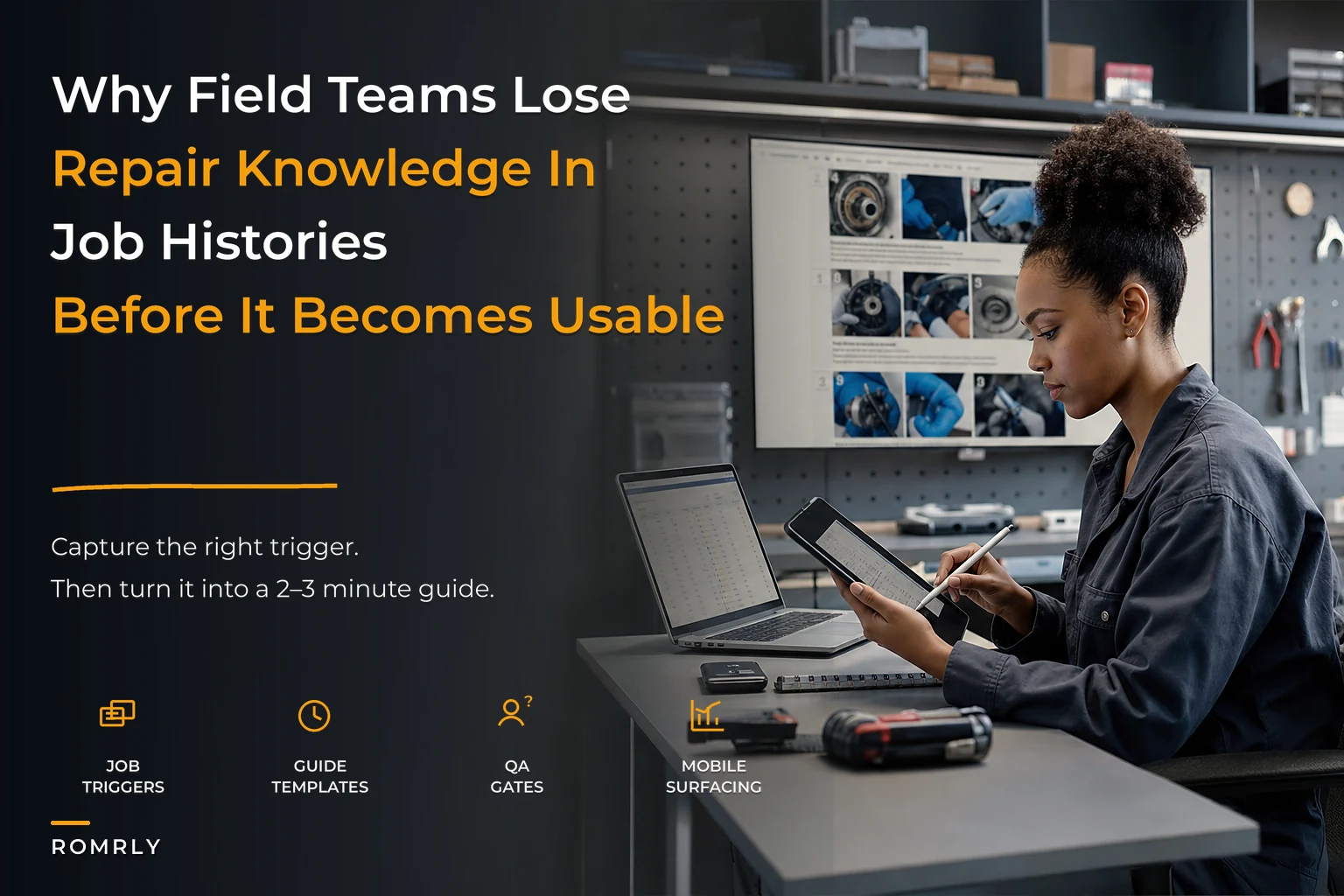
This is a systems article. We're going to walk the full path: how a trigger fires, how a draft gets authored, how it passes a QA gate, how versioning keeps you out of trouble, and how surfacing rules decide what shows up on a phone with two bars of signal. And we'll be honest about where each stage breaks as you grow from 15 techs to 60.
Why the "we'll document it later" model always collapses
The default approach in most shops is tribal. A new tech shadows a senior one, asks questions, and slowly absorbs the fixes. It works fine at small scale — when you have eight techs who've all worked together for years, knowledge moves fast enough by word of mouth.
Then a few things happen at once. You hire five people in a quarter. Two veterans retire or walk out the door. You take on a new equipment line you've never serviced before. Suddenly the informal network can't keep up, and the cost shows up everywhere: longer diagnostics, more callbacks, more "let me call the office" moments, and a widening gap between your top and bottom performers.
What tends to happen with documentation projects that do get started is they fail for the same structural reason. Someone gets tasked with "writing the SOPs." They produce forty dense pages. The pages are technically correct and completely unused, because nobody reads a forty-page manual while kneeling next to a rooftop unit in the heat. The content was created without a lifecycle, so it was born stale and got staler.
The fix isn't better writers. It's a pipeline where knowledge is captured as a byproduct of work already happening, shaped into small pieces, verified by people who actually do the job, and delivered in the two-minute window where it matters.
The lifecycle, end to end
Think of it as five connected stages. Each one hands off to the next, and each one has its own failure mode. Here's the whole thing before we dig in:
Eliminate field service chaos with Romrly.
Romrly helps you assign, track, and complete service jobs efficiently and on time.
- Unified job scheduling
- Technician dispatch & tracking
- Customer notifications & updates
No credit card required
-
Capture triggers — decide which jobs are worth turning into a guide
-
Authoring templates — turn a raw job record into a structured draft
-
QA gates — verify accuracy before anything goes live
-
Versioning — track changes so guides stay trustworthy over time
-
Mobile surfacing rules — put the right guide on the right phone at the right moment
The mistake most teams make is treating these as separate projects owned by separate people. Capture belongs to dispatch, authoring to a technical writer, QA to engineering, delivery to whoever owns the mobile app.
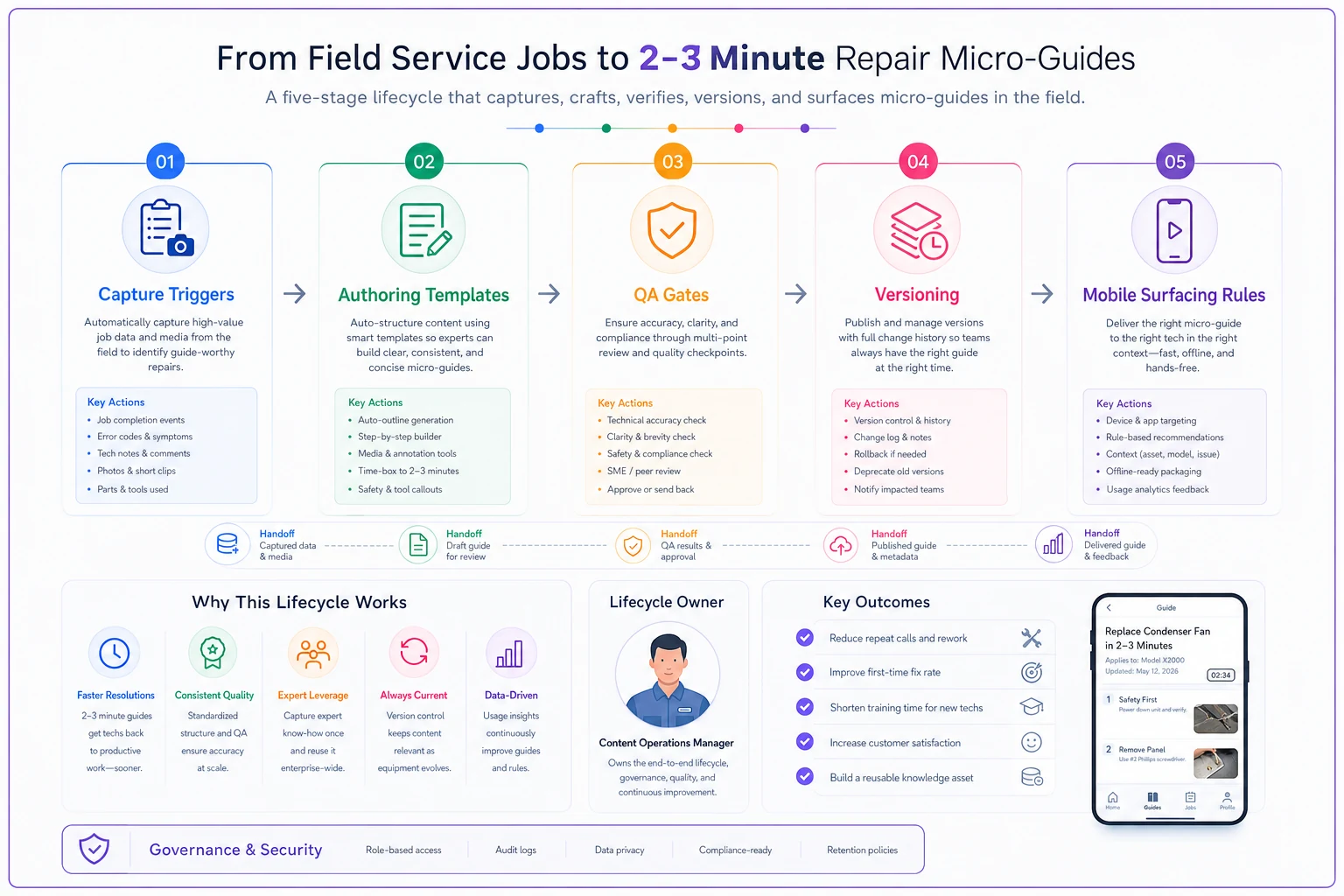
When the stages are siloed, the handoffs rot. A guide gets written but never QA'd. A QA'd guide never gets surfaced. You want one owner accountable for the flow end to end, even if different people do the work inside each stage.
Stage 1: Capture triggers — deciding what's worth documenting
You cannot write a guide for every job, and you shouldn't try. A shop closing 400 jobs a month that tries to document all of them will drown in low-value content and burn out whoever's doing the writing. The trigger stage is about filtering — catching the jobs that carry reusable knowledge and ignoring the ones that don't.
-
Repeat symptom, single asset model. When the same fault code or symptom shows up across three or more jobs on the same equipment model, that's a pattern worth capturing once instead of re-solving forever.
-
Long diagnostic time relative to the norm. If a job type usually takes 40 minutes and one took two hours, either the tech hit something unusual or the standard approach is missing a step. Both are worth a look.
-
Callback or return-visit flag. Any job that generated a second visit is a candidate — the resolution notes on the second visit often contain the real fix.
-
First-time-fix miss on a common repair. If a routine repair failed to resolve on the first try, the gap in current knowledge is exactly what a micro-guide should close.
-
Manual flag from the tech. Give techs a one-tap "this one's worth documenting" button in the field app. Senior people know a good teachable moment when they hit one.
A subtle point most teams miss: triggers shouldn't only find hard jobs. Some of your highest-value guides come from boringly common repairs where a small consistency improvement — same torque, same sequence, same part number — quietly lifts first-time-fix across the whole team.
This is where AI automation earns its place without much fanfare. Instead of someone scanning hundreds of closed work orders, a system can watch the job stream, cluster similar resolutions, and surface a shortlist of guide candidates each month to whoever owns authoring. It's not making the decision — it's doing the tedious pattern-matching so a human can make the call in five minutes instead of an afternoon.
Stage 2: Authoring templates — from job record to draft
Once a job is flagged, someone has to turn it into something readable. The failure here is the blank page. Ask a busy senior tech to "write up how you fixed the compressor issue" and you'll get either nothing or three paragraphs of stream-of-consciousness.
Templates solve this. A good repair micro-guide template is short and rigid on structure, flexible on content:
-
Trigger/symptom — the exact thing a tech will see or hear that means "use this guide"
-
Applies to — equipment models, not vague categories
-
Safety note — one line, only if there's a real hazard (don't dilute it with boilerplate)
-
Steps — 5 to 9 numbered actions, each one physical and verifiable
-
Parts/tools — specific SKUs, not "the right seal"
-
Confirm the fix — how you know it worked before you close the job
-
If it doesn't work — the one or two next branches
The two-to-three minute rule is the discipline. If a guide can't be read and acted on in that window, it's not a micro-guide — it's a manual, and it'll go unused like every manual before it. When a fix genuinely needs more depth, link out to the full documentation rather than bloating the quick guide.
AI-assisted drafting is genuinely useful here. The raw material — resolution notes, part usage, time stamps, the tech's dictated voice memo — already exists in the job record. A drafting step can pull those fields into the template structure automatically, producing a rough first draft that a human then corrects. The tech isn't writing from scratch; they're editing something that's already 70% of the way there. That single change is often the difference between a documentation program that actually runs and one that dies in month two.
If you're building this alongside a structured onboarding program, the micro-guides become the connective tissue. New hires working through a 90-day technician onboarding checklist can be pointed at the exact guides tied to the competencies they're being measured on, which turns abstract milestones into concrete "read this, then do it under supervision" steps.
Stage 3: QA gates — the part everyone skips and shouldn't
The fastest way to destroy trust in a knowledge base is to publish one guide that's wrong. Techs will read it, follow it, get burned, and never open the system again. A single bad guide poisons the well for the good ones.
So nothing goes live without passing a gate. The gate doesn't have to be heavy, but it has to be real. A two-tier review works in practice:
| Review tier | Who does it | What they check | When to require it |
|---|---|---|---|
| Peer check | Another experienced tech | Steps are correct, order makes sense, no missing safety step | Every guide |
| Technical sign-off | Lead tech or engineering | Part numbers, torque specs, warranty implications, code compliance | High-risk repairs, warranty-affecting work, anything on a new equipment line |
The peer check catches everyday errors — a step out of order, a missing confirmation. The technical sign-off catches the expensive ones — a wrong part number that triggers a warranty denial, or a procedure that voids a manufacturer agreement.
A pattern worth stealing: put a hard expiry on every guide. Give it a review date six or twelve months out. When the date hits, the guide gets re-flagged for QA even if nothing obvious changed. Equipment revisions, updated specs, and new parts creep in silently. Without a forced re-check, your library slowly fills with confident, well-formatted, wrong advice.
A pattern worth stealing: put a hard expiry on every guide.
One mistake to avoid: don't let the QA gate become a bottleneck owned by one overloaded person. If every guide has to wait for your single busiest engineer, the queue backs up and authors stop submitting. Distribute peer checks across several qualified techs and reserve the engineer's time for genuinely high-risk items.
Stage 4: Versioning — because guides change and you need to know what changed
Versioning sounds like a software concern until the day a tech follows an outdated procedure and you have no idea which version they saw. In a service business, that ambiguity has real consequences: warranty disputes, safety incidents, and arguments about whether the tech "followed procedure."
-
Every published guide has a version number and a published date, visible on the guide itself.
-
Changes are tracked — what changed, who changed it, when, and why. "Updated part number after supplier switch" is enough.
-
Old versions are archived, not deleted. If a job from March is disputed in July, you need to see the guide as it existed in March.
-
A material change forces re-QA. Fixing a typo doesn't. Changing a step or a part number does.
The scaling problem shows up here first. At 15 techs and 40 guides, you can track this in a spreadsheet if you're disciplined. At 60 techs and 300 guides across multiple equipment lines and regions, manual version tracking collapses. You get duplicate guides, region-specific variants nobody reconciled, and a live library where nobody's sure which version is canonical. This is exactly the point where a proper system — one that stamps versions automatically, keeps the change log, and archives prior states — stops being optional.
Stage 5: Mobile surfacing rules — the last mile that makes or breaks adoption
You can capture, author, QA, and version perfectly and still have a dead knowledge base if the guide doesn't reach the phone at the right moment. Surfacing is the difference between a library and a tool.
-
Context-matched, not searched. Work order says "Model X, no cooling"? The relevant no-cooling guides for Model X appear at the top, automatically.
-
Skill-aware. A first-year tech might get the full step-by-step; a veteran gets a condensed version and skips the basics. Same knowledge, different depth.
-
Ranked by proven success. If two guides address the same symptom, surface the one with the higher first-time-fix rate first.
-
Offline-ready. The guides likely to be needed on today's jobs should be pre-loaded to the device before the tech leaves signal range.
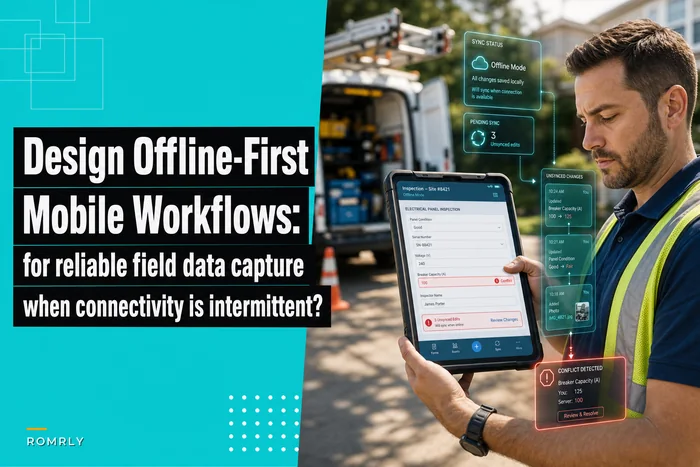
That last point deserves real emphasis, because it's where a lot of otherwise-good systems fall apart. Field techs work in basements, mechanical rooms, rural sites, and parking garages. A knowledge base that only works with a live connection is useless exactly when it's needed most. If you haven't thought hard about this yet, it's worth reading how to design offline-first mobile workflows for reliable field data capture — the same principles that keep data capture reliable on bad connections apply directly to serving guides offline.
A real scenario: mid-size HVAC service company
A commercial HVAC contractor running about 34 techs was watching their first-time-fix rate stall in the low 70s and diagnostic times creep up as they brought on newer hires. Their knowledge lived where it usually does — in two senior techs' heads and a shared drive of aging PDFs.
They didn't try to boil the ocean. They started with triggers on their three most-serviced rooftop unit models, which covered a large share of their repeat symptoms. Over the first quarter they built roughly 40 micro-guides — flagged from actual job history, drafted into a template, peer-checked, and sign-off gated for the warranty-sensitive ones.
The changes weren't dramatic overnight, but they compounded. First-time-fix on those three models moved into the low 80s over about four months. New techs hit competency on those repairs noticeably faster because they had a consistent, verified reference instead of "ask whoever's around." The "let me call the office" interruptions on those job types dropped enough that the two senior techs got a real chunk of their week back — time they'd been spending answering the same three questions by phone.
The number that mattered most to the owner wasn't a dashboard KPI. It was that when one of those senior techs took two weeks off, the wheels didn't come off. The knowledge was in the system, not just in the person.
When this makes sense — and when it doesn't
When it clearly makes sense:
-
You're growing and diluting your experience base with new hires faster than word-of-mouth can train them.
-
You service a consistent set of equipment models, so guides get reused many times.
-
You're seeing a wide gap between your best and worst techs on the same job types.
-
Callbacks and repeat visits are eating into margin.
When it's premature:
-
You have a small, stable, veteran team that all trained together and rarely turns over. The tribal model still works; formalizing it is overhead you don't need yet.
-
Every job is genuinely bespoke with little repetition — you'll spend more time authoring than you'll ever save.
Who should NOT start here:
If your job records are a mess — inconsistent resolution notes, missing part usage, no symptom coding — fix capture at the source first. A knowledge lifecycle built on garbage job data produces garbage guides faster. Get clean, structured records flowing, then build the pipeline on top.
Bringing it together
Field service knowledge management fails so often not because companies don't value knowledge — it's because they treat it as a documentation project instead of an operating system. A one-time push to "write the SOPs" produces content that's stale on arrival and unused within a month. A lifecycle produces something different: knowledge captured as a byproduct of work, shaped into pieces small enough to actually use, verified before anyone trusts it, tracked as it changes, and delivered to the phone at the exact moment of need.
Each stage protects the next. Triggers keep you from drowning in low-value content. Templates keep authoring fast. QA gates keep trust intact. Versioning keeps you out of disputes. Surfacing rules make the whole thing worth building. Skip any one and the chain breaks — usually quietly, until the day a veteran leaves and you realize how much walked out the door with them.
Start narrow. Pick your three most-serviced models, wire up triggers from job history you already have, and build twenty solid guides that pass a real QA gate. Prove the loop works on a small slice before you scale it across every asset and region. The companies that get this right aren't the ones with the biggest manuals — they're the ones whose knowledge keeps working when the person who created it isn't in the room.
Ready to optimize your field operations?
Join 2,000+ service teams using Romrly to boost productivity, reduce downtime, and enhance customer satisfaction.